Plan your month
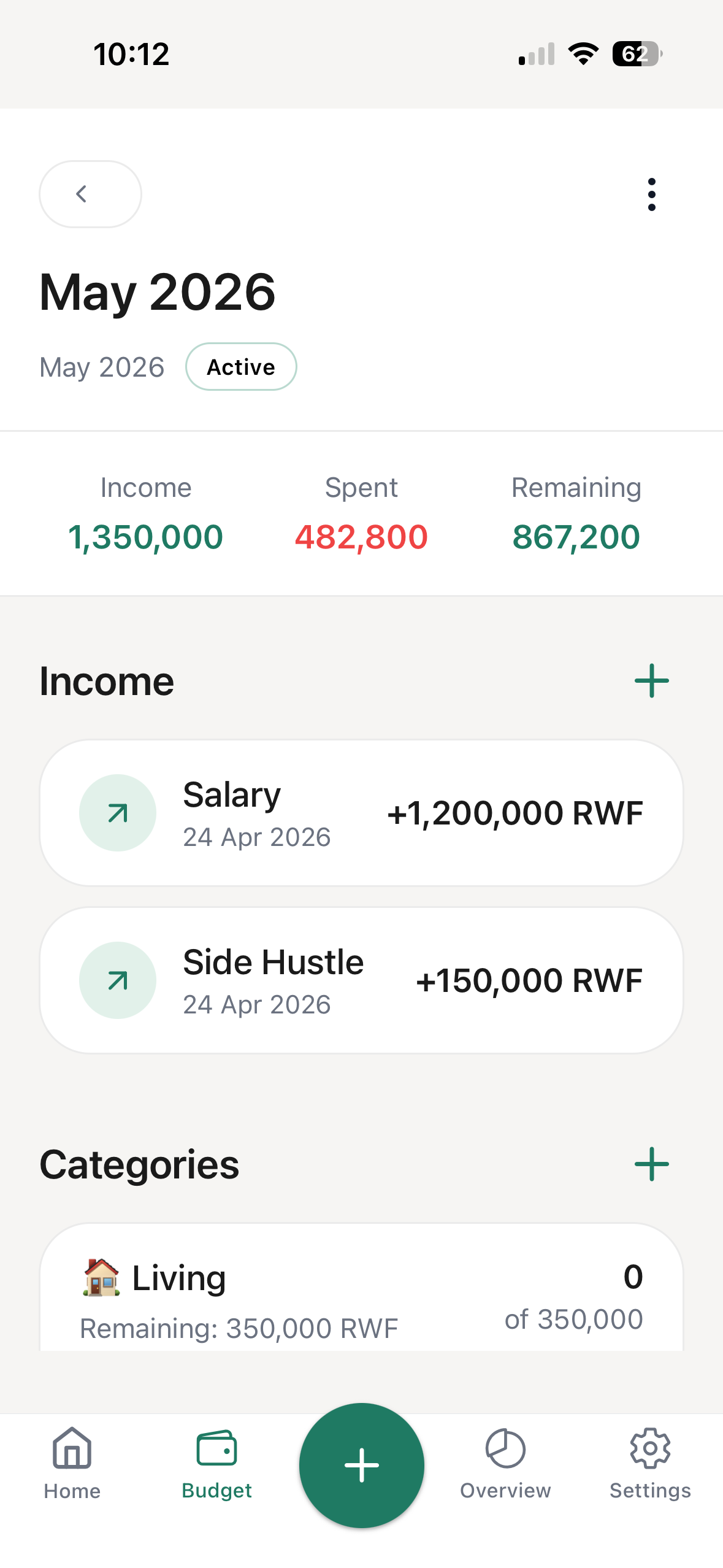
Create a monthly budget with income, categories, and spending items.

Kenvra
Know what remains
Built for everyday life in Rwanda
Stop guessing your money. Plan your budget, track expenses faster, and always know what's left.
Log your expenses in seconds, every day.
Manual tracking + MTN and Airtel MoMo shortcuts - built for real life in Rwanda.
Why Kenvra
Most people plan their money but don't track what they spend. Kenvra makes daily tracking fast, then shows what remains.
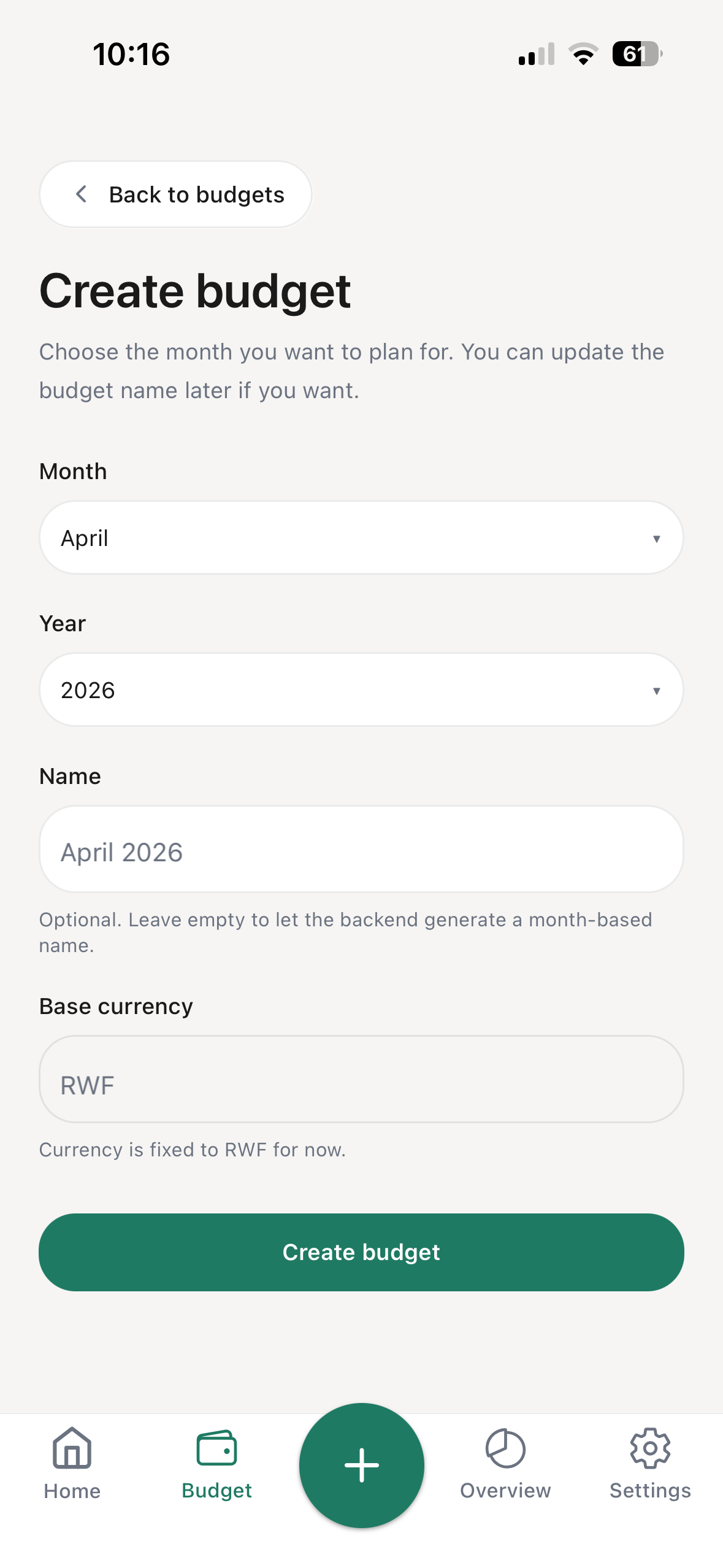
Create a monthly budget with income, categories, and spending items.
Track rent, transport, groceries, and daily expenses in RWF.
Log your expenses in seconds, every day.
Open MTN or Airtel MoMo shortcuts, then confirm success before saving.
Quick Add
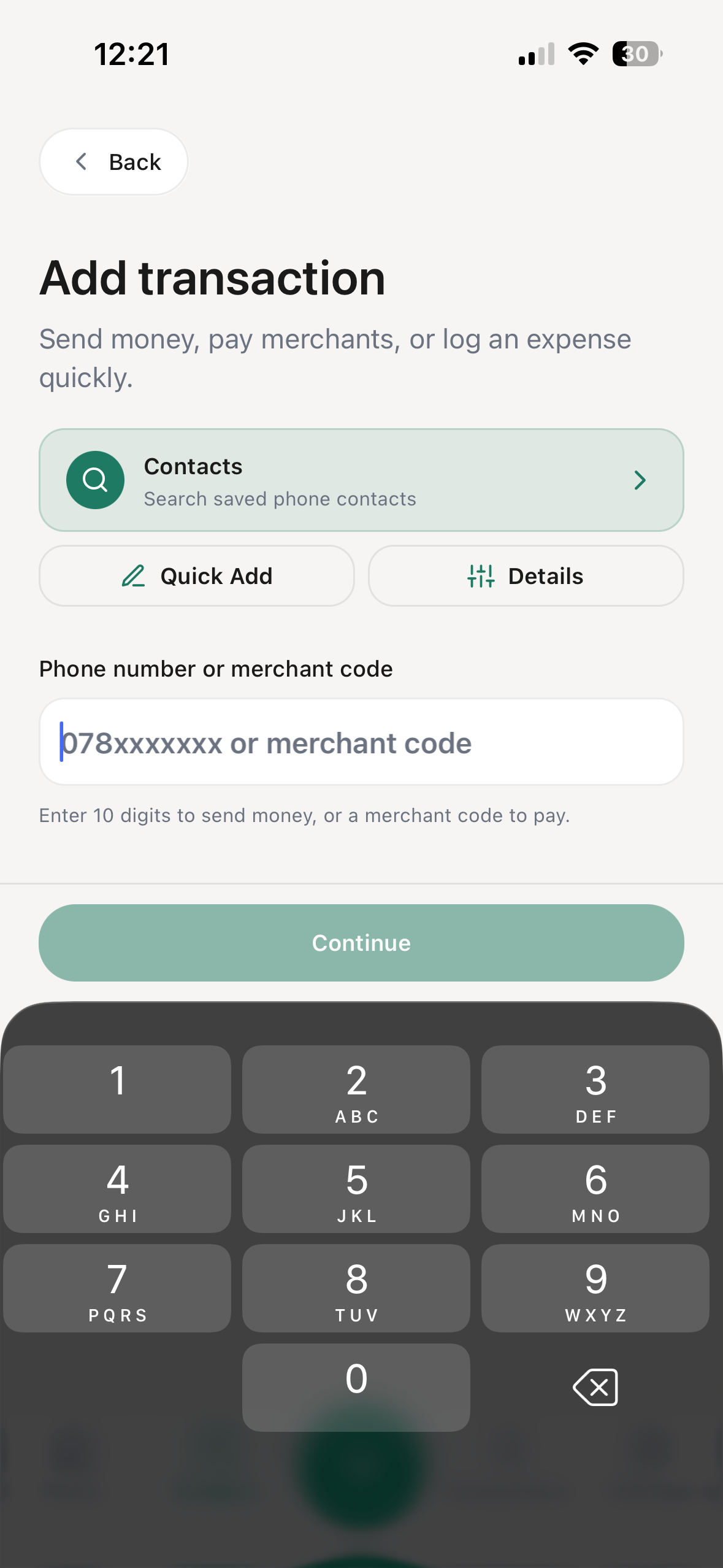
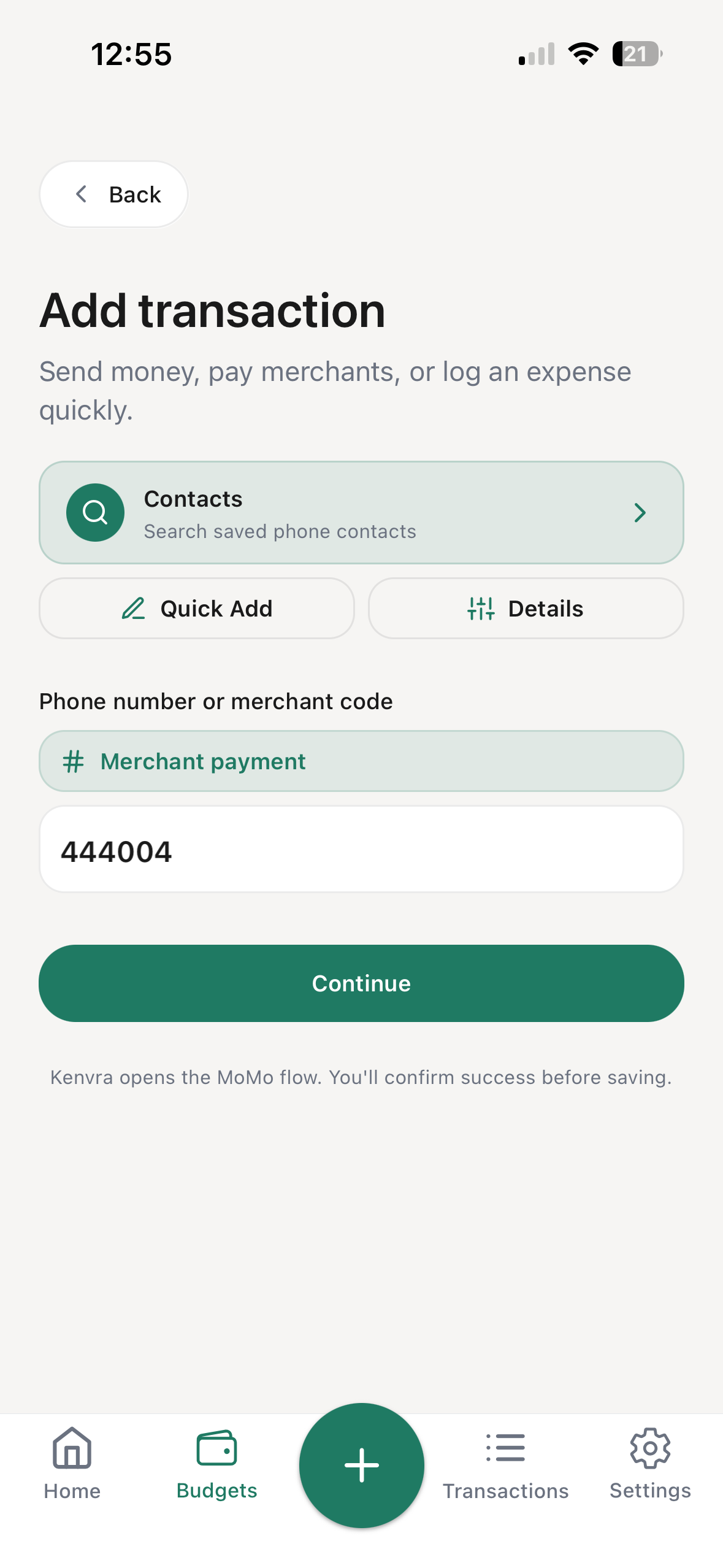
Kenvra opens to a smart keypad. Enter 10 digits to send money, or a shorter merchant code to pay. For manual logging, Quick Add keeps category, item, and amount entry focused.
When you start from a budget item, the category is already selected so you can record the expense and move on.
Track rent, transport, groceries, and daily expenses in RWF.
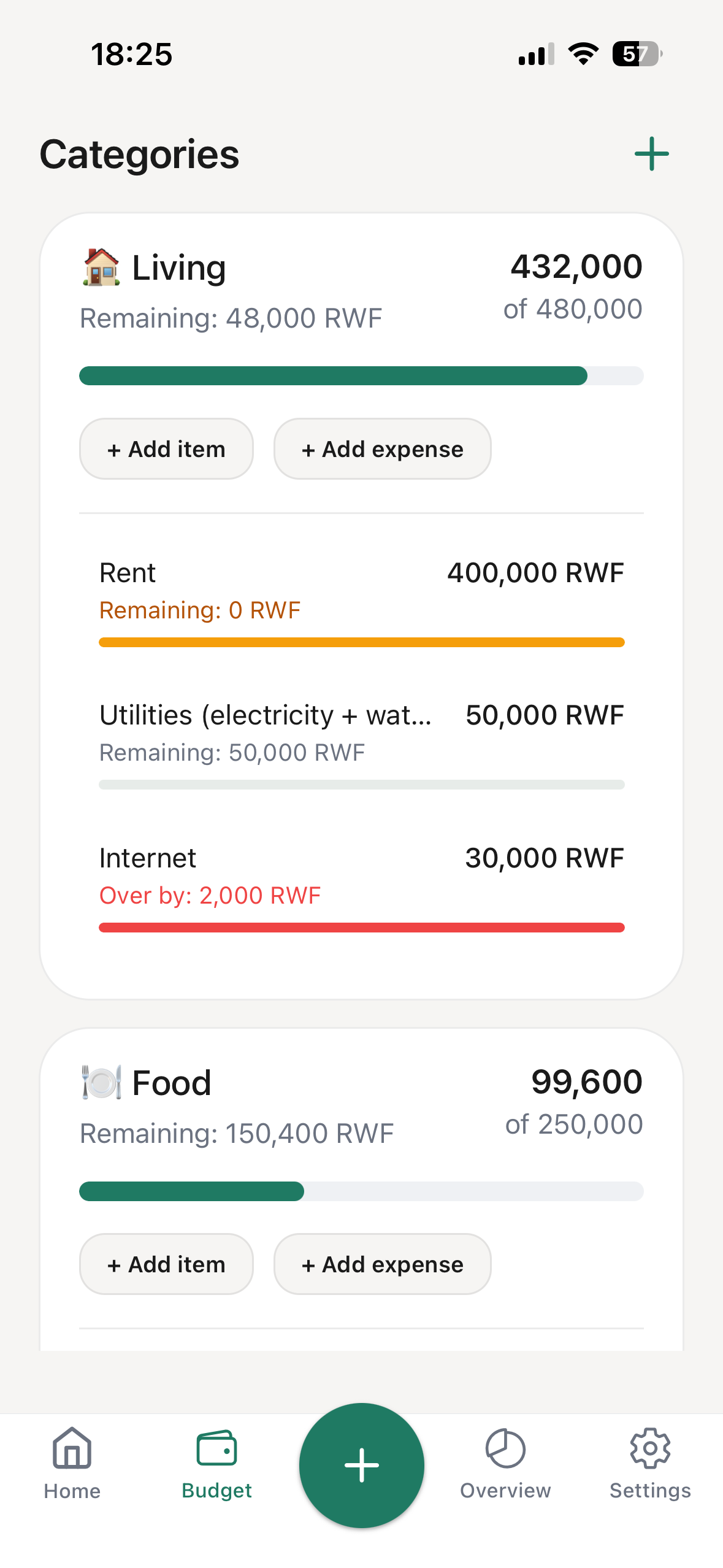
Budget detail
Inside each budget, Kenvra breaks your money into categories and items so you can see exactly where spending belongs before and after you log it.
Budget detail is where “Know what remains” becomes practical: groceries, transport, rent, and every item has a place.
MoMo shortcuts
Kenvra opens the carrier USSD flow for sending money or paying merchants. MTN or Airtel handles the payment, then you confirm success before saving the transaction.
Type phone number or merchant code
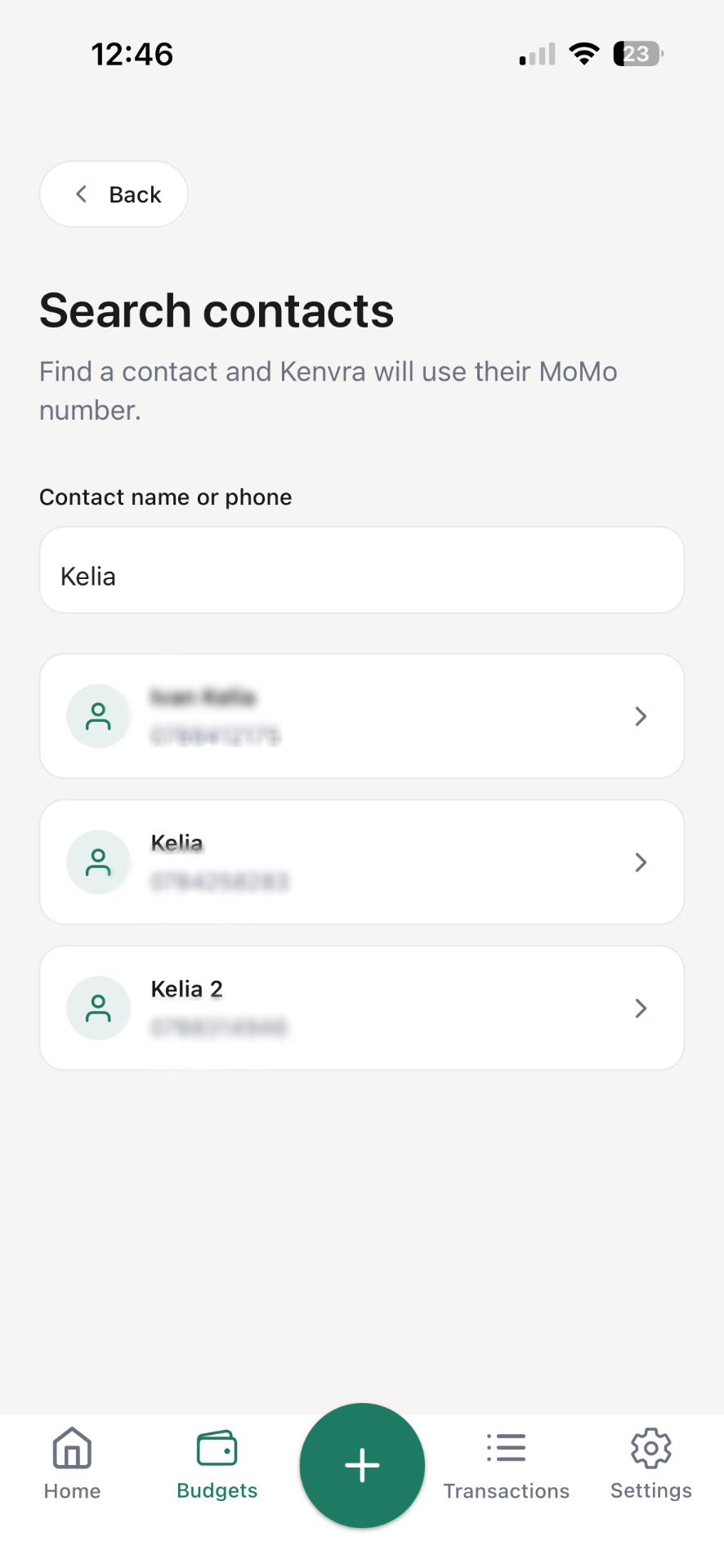
Search contacts when needed
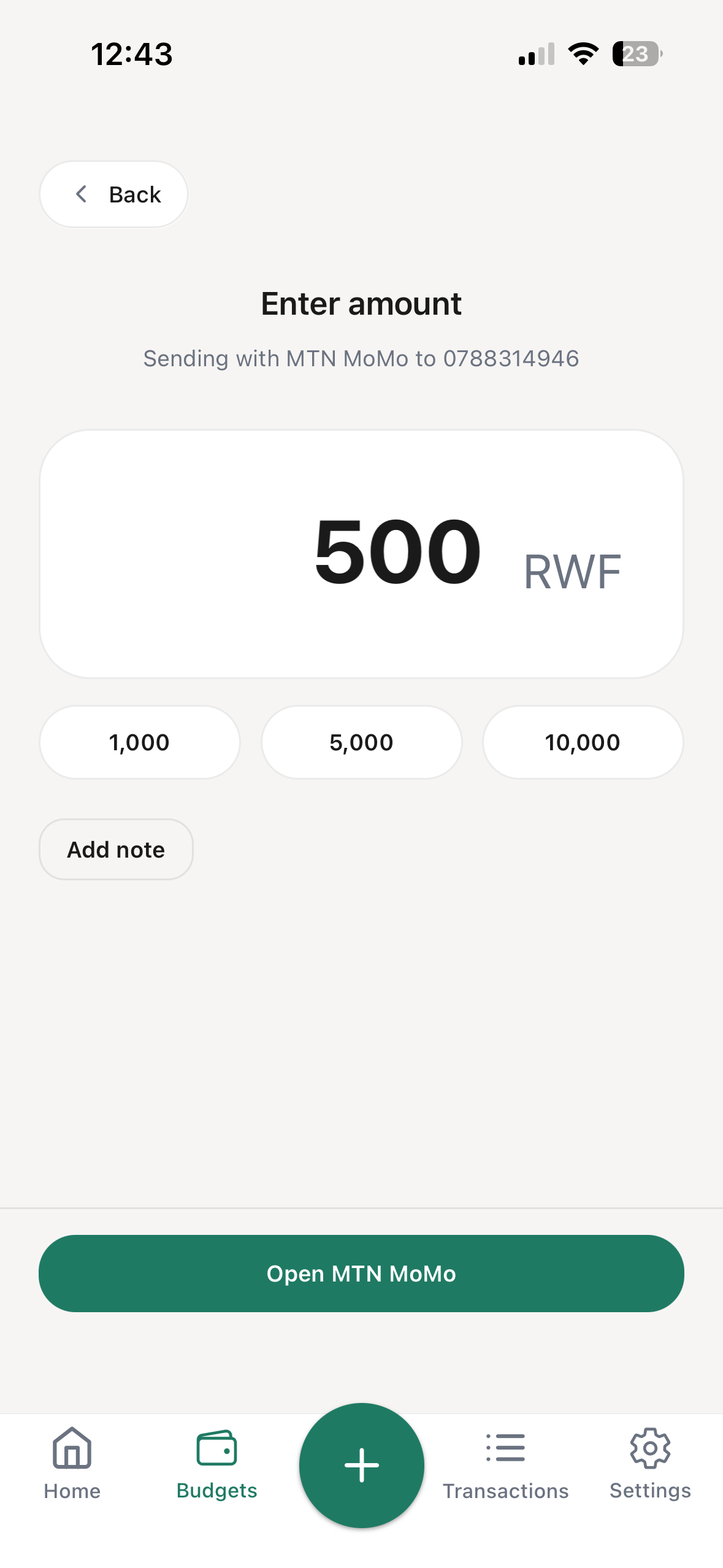
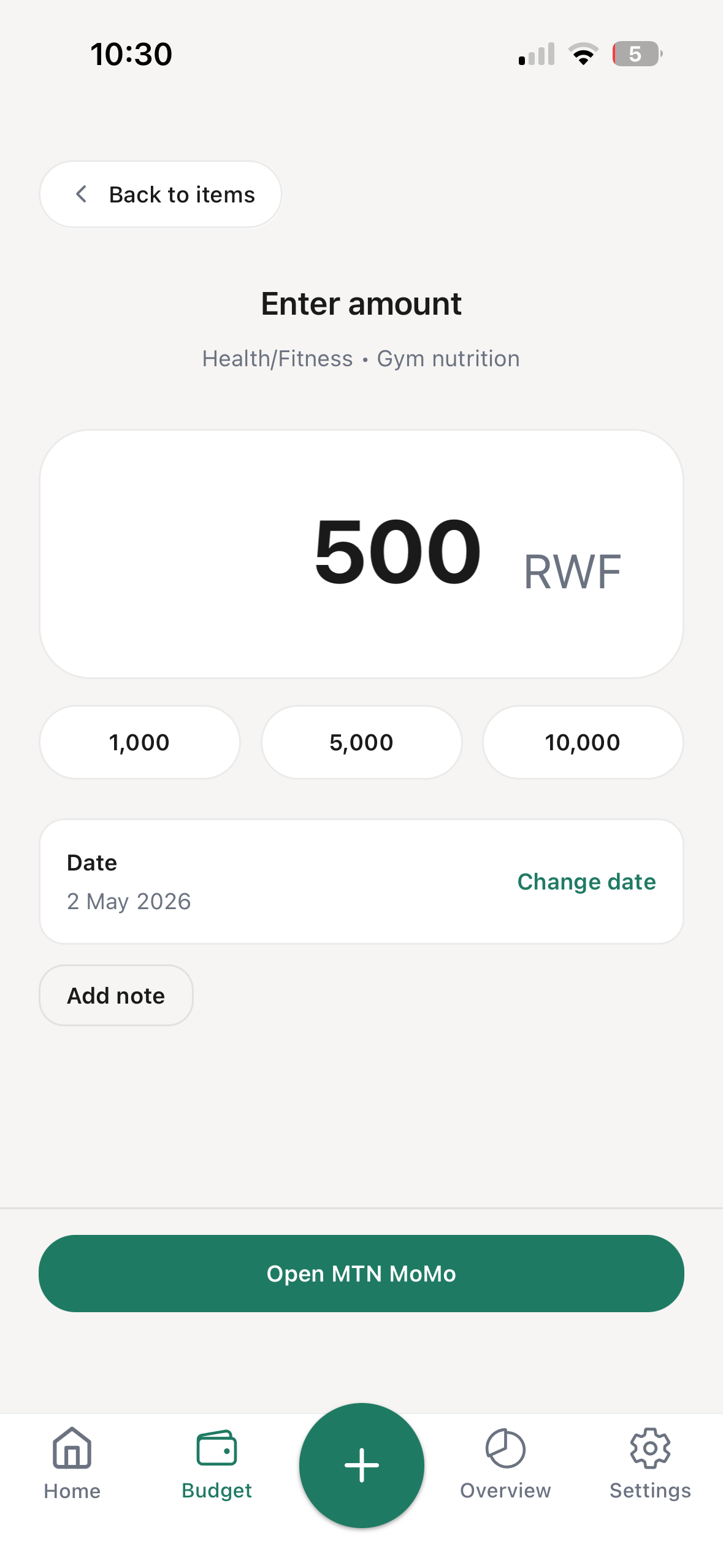
Enter amount
Open the MoMo USSD flow
Carrier handles PIN confirmation
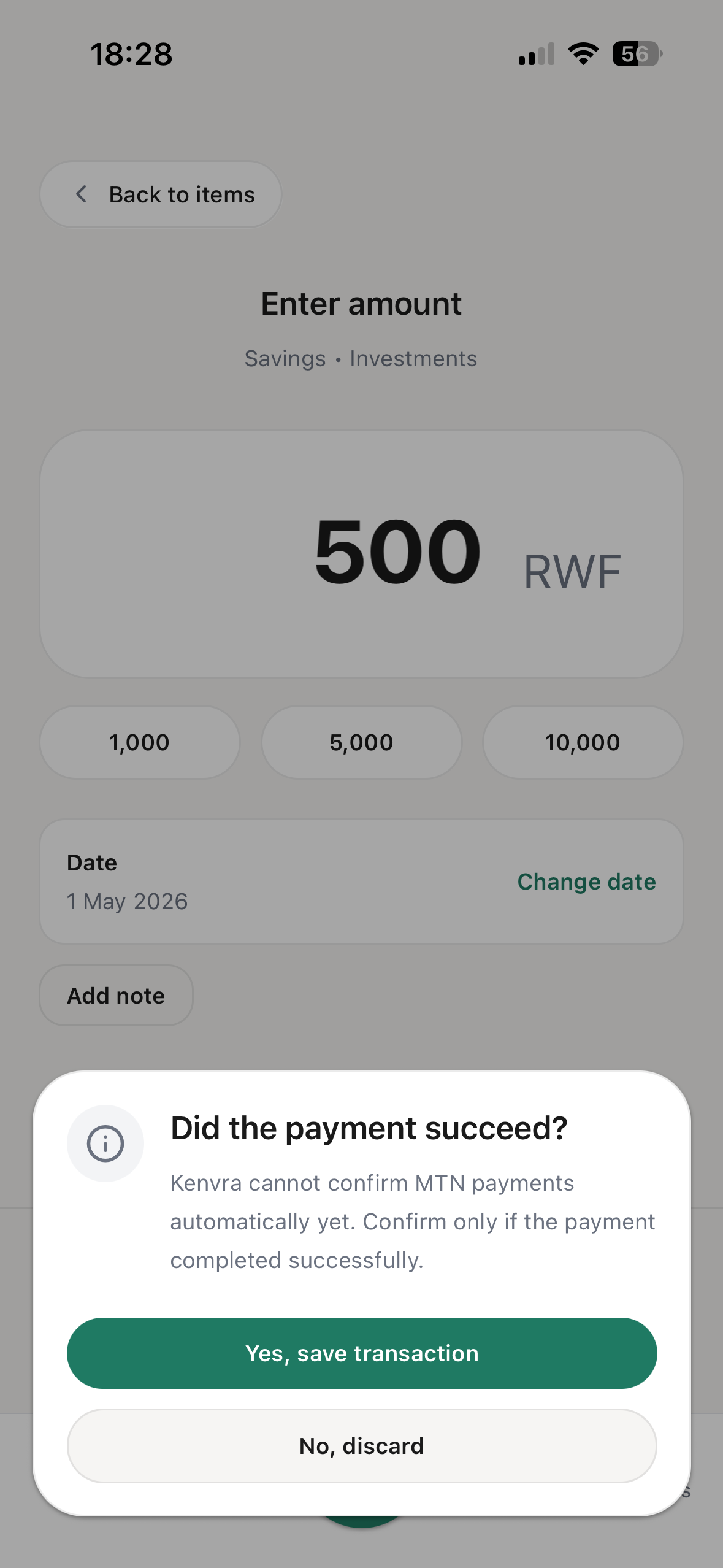
Confirm success before saving
Start from a MoMo-first keypad.
Search saved contacts without scrolling a long list.
Enter the amount in RWF, then open the carrier flow.
Kenvra opens the MoMo USSD shortcut.
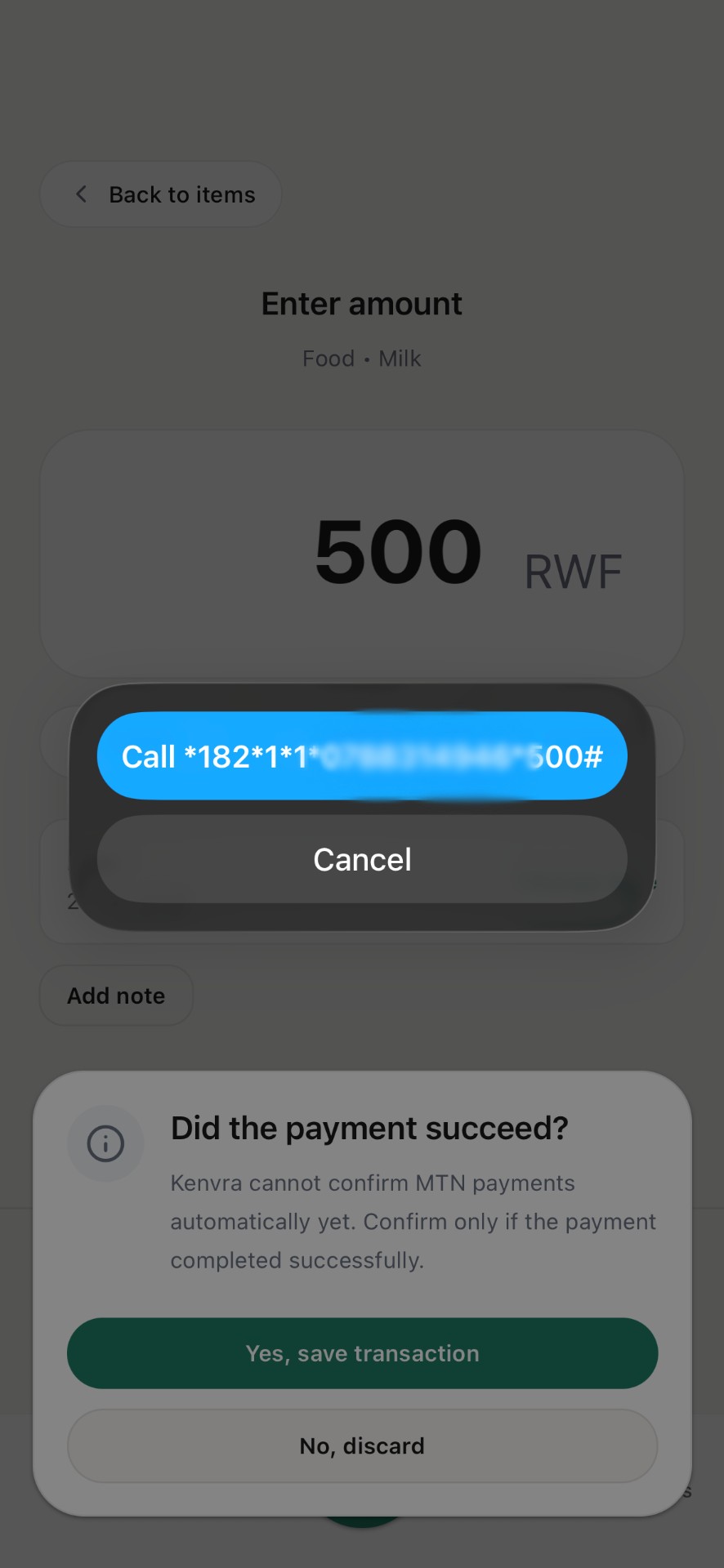
Your carrier handles PIN entry and payment.
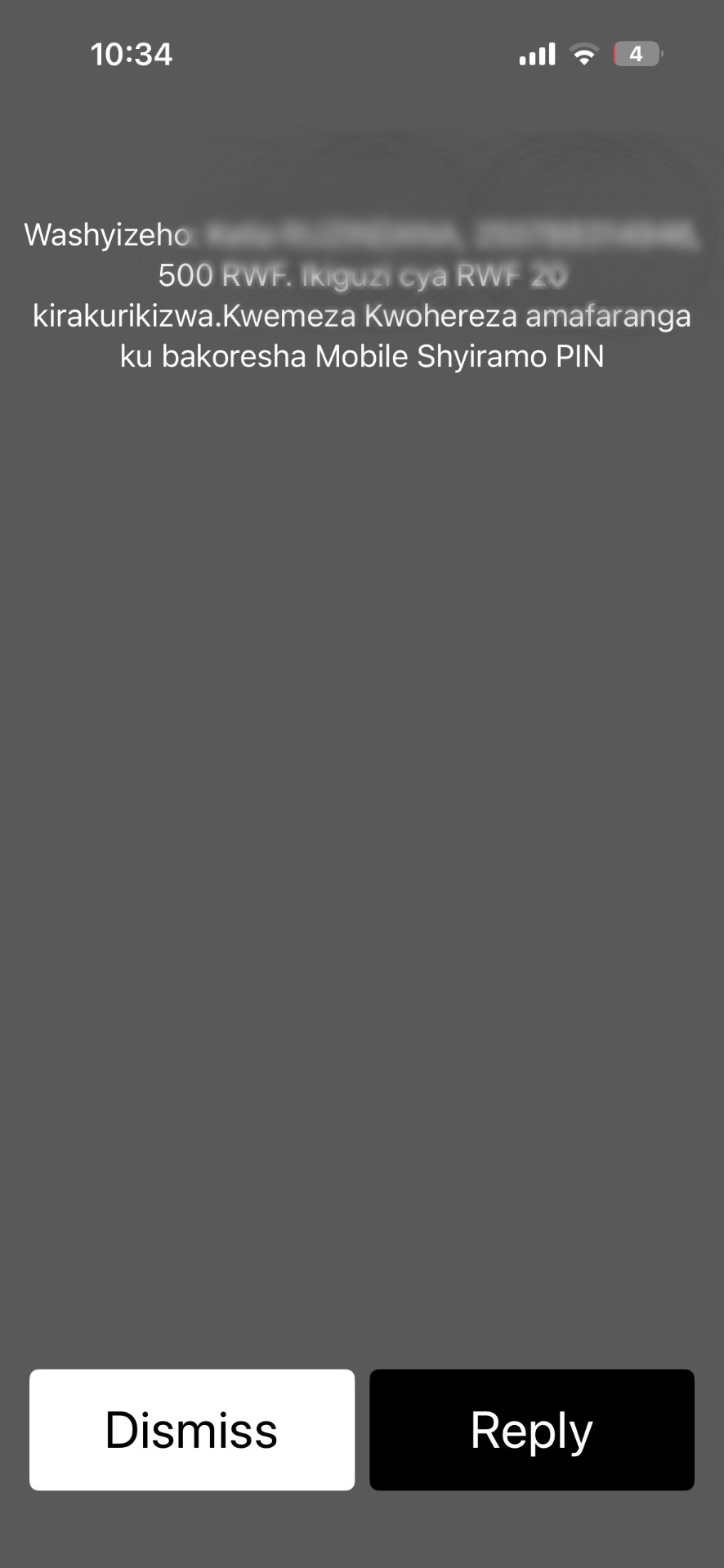
Return to Kenvra and confirm success before saving.
Transactions UX
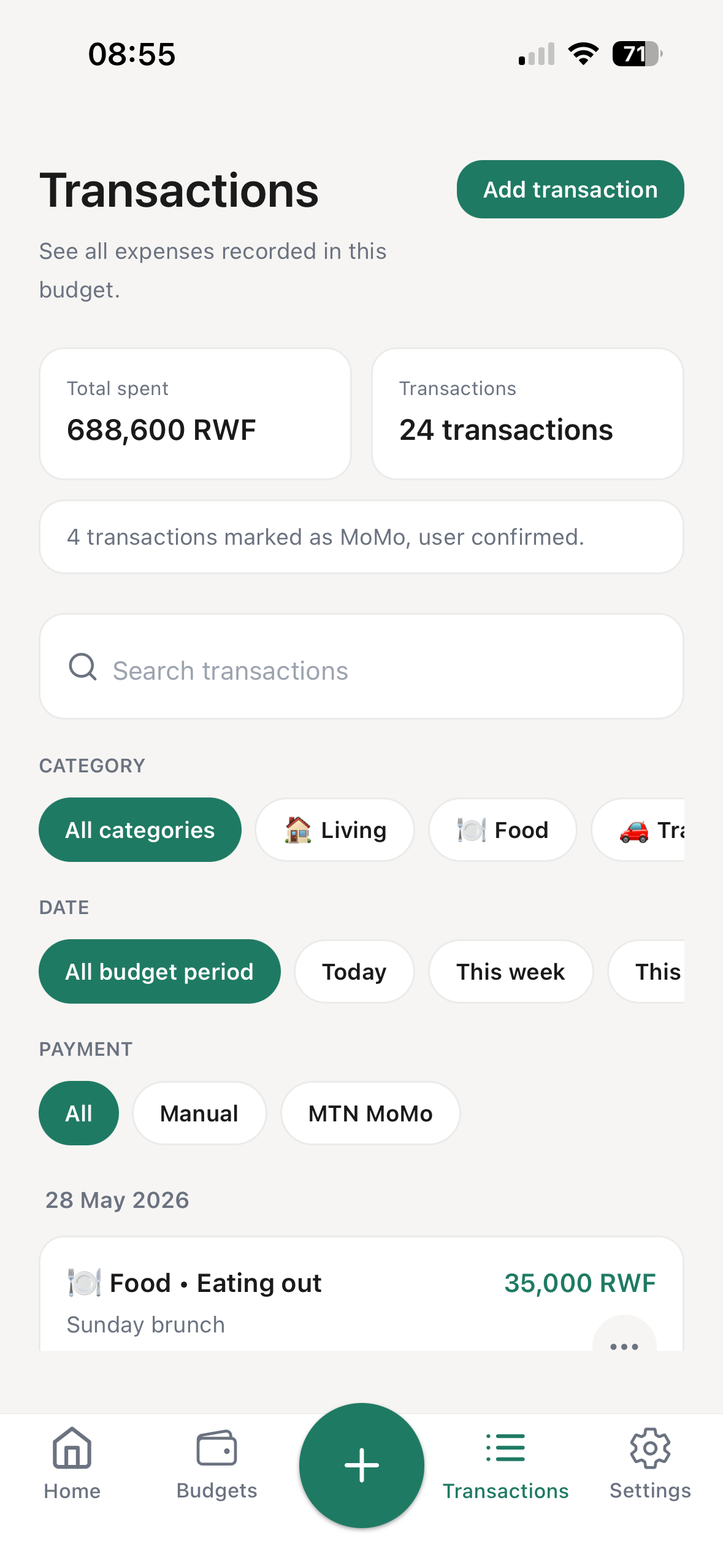
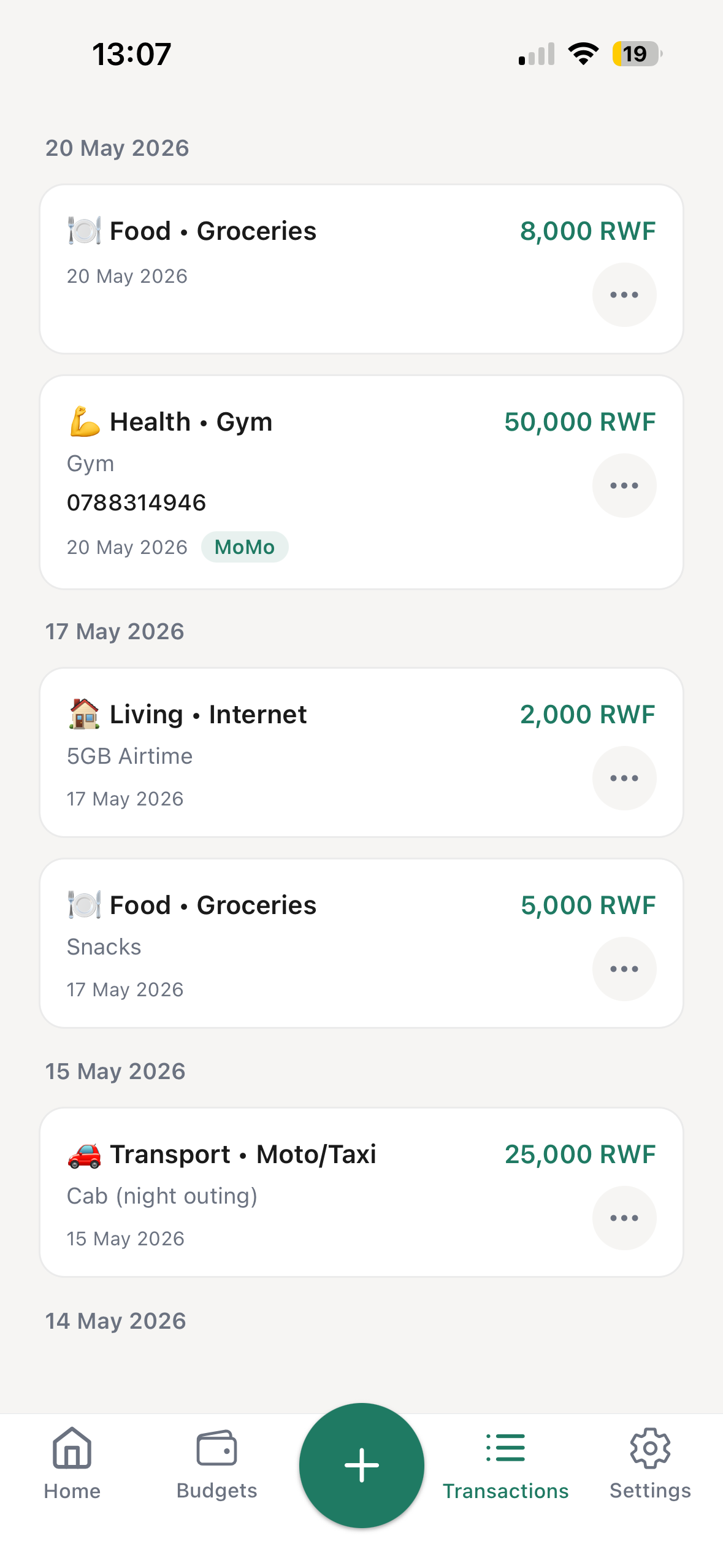
Review manual entries, MTN MoMo shortcuts, and Airtel MoMo shortcuts in one clean list. Search, filter, and scan grouped days without clutter.
Built to be used daily, not just planned once.
Filter without fuss
Search by item or note, then filter by category, date, and payment method when the list gets busy.
Manual + MoMo in one place
See manual, MTN MoMo, and Airtel MoMo shortcut transactions together, with MoMo badges where shortcuts were used.
Log your expenses in seconds, every day.
Product story
The product story is simple: plan the month, spend and log quickly, then understand what remains.
Plan
Spend
Understand
Inside the app
Kenvra is not only a budget setup screen. It is a daily app for checking what remains, logging quickly, reviewing spending, and adjusting how you use MoMo.
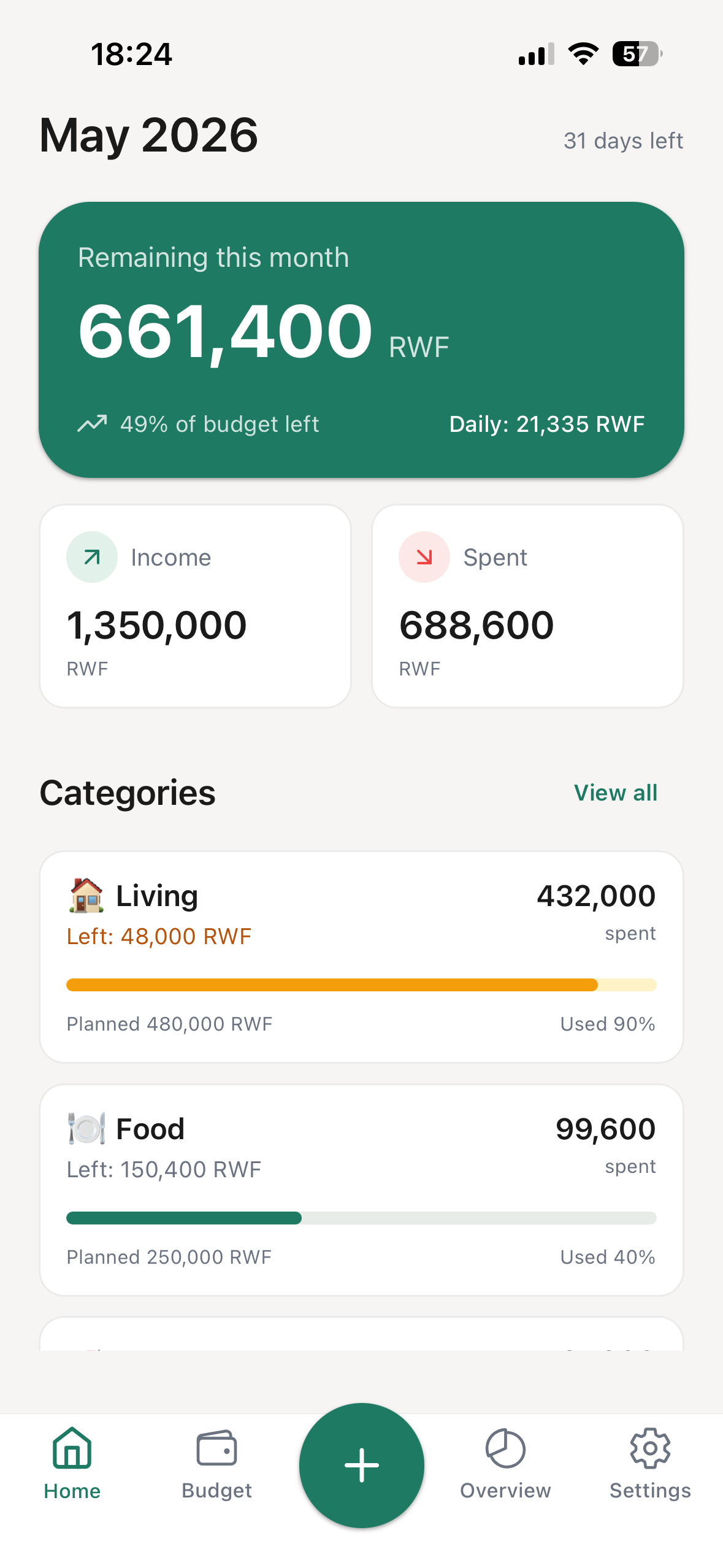
A calm control panel for income, spending, remaining money, and the categories that need attention.
Review spending by day, filter by category or payment method, and see MoMo shortcut entries clearly marked.
Choose MTN or Airtel during signup, then change it later in Settings when your default MoMo carrier changes.
Early testers can send feedback from Settings, with an anonymous option when they prefer it.
Users can start budgeting immediately while a clear banner reminds them to secure the account.
Kenvra helps search phone contacts quickly for MoMo shortcuts without turning contact search into a long scroll.
Main tabs
The app structure is intentionally plain: Home answers where you are financially, Budgets shows what you planned, Transactions shows what you spent, and Settings handles account, carrier, and feedback.
Home
Where am I financially?
Budgets
What did I plan?
Transactions
What did I spend?
Settings
My account and preferences
Social proof
Kenvra is made for everyday budget decisions, from transport and groceries to rent and family support.
"I finally know where my money goes every month."
"Tracking expenses is now fast and simple."
"Kenvra helps me stay within my budget."
Kenvra is built for privacy and control. Your budgeting data is never sold or used for advertising.
Email is used only for account verification and password reset.
Get started
Built for everyday life in Rwanda, with manual tracking and MTN or Airtel MoMo shortcuts in one app.